Every grid row fetches the same owner record again
Each request returns 200 and the owner cells fill in. Only the network timeline shows the same user being fetched over and over.
analytics-gridFound 2026-10-19Full report in Replay QA
What the recording showed
Each OwnerCell calls fetchUser(ownerId) on mount. 7 identical GET /api/users/23 fired within 99ms at load and 2 more on each row click, 11 in all, although fetchUsers(ids) already exists for batching.
Actual
11 identical GET requests to /api/users/23 are issued: 7 in a burst at initial load (1576ms, 1578ms, 1602ms, 1624ms, 1635ms, 1645ms, 1675ms — all 200, durations 1133ms to 9310ms), 2 more after the first row click at 121264ms/121288ms, and 2 more after the second click at 167697ms/167699ms. Each OwnerCell mounts its own fetch and the results are never shared, so the same user record is transferred and processed repeatedly.
Expected
The owner for ownerId 23 should be fetched once (deduplicated across the 50 OwnerCell instances, or fetched for all rows in a single batched call via the existing fetchUsers(ids) endpoint) and reused from a shared cache/state; owner names should appear after one request round-trip.
Session replay
Chronology of events
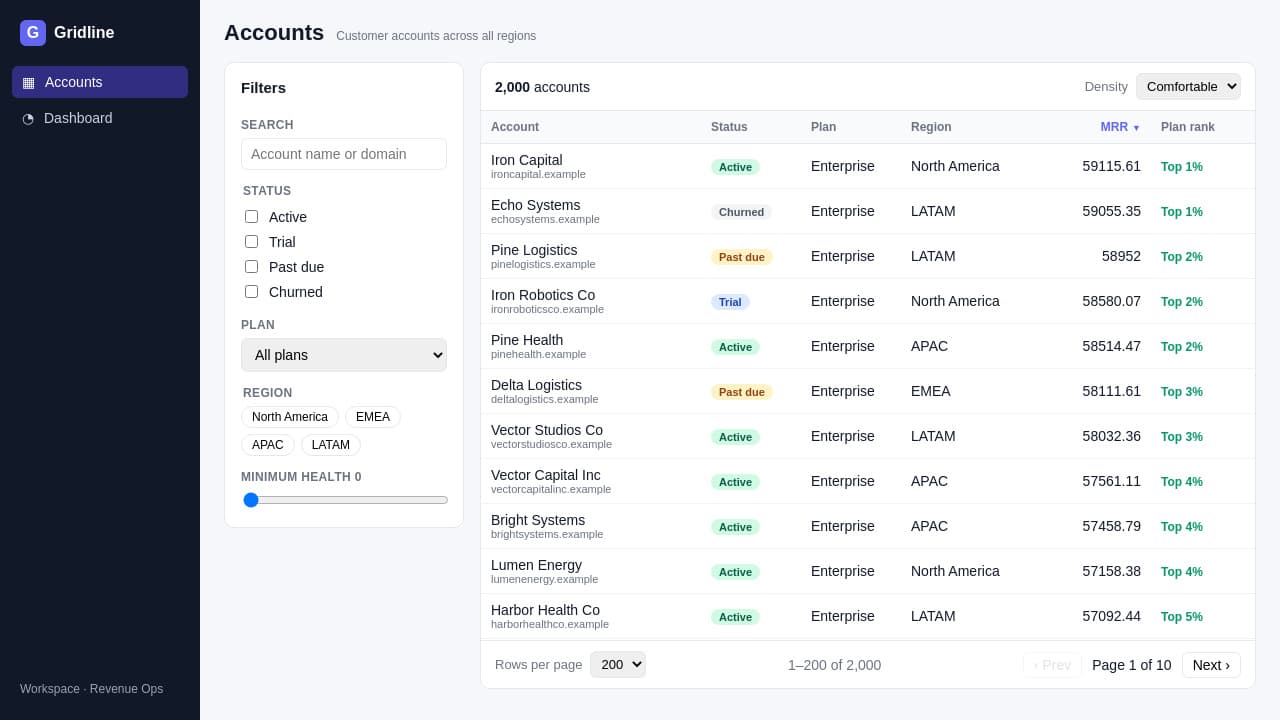 0:02.7
At page load (1576–1675ms) the grid mounts 50 rows, each rendering an OwnerCell for ownerId 23; 7 identical GET requests to /api/users/23 fire within 99ms (durations 1133–9310ms), and the owner cells remain in their skeleton 'owner-loading' state while these redundant requests are in flight.
1 evidence probe (NetworkRequest)
NetworkRequest {"mode":"requests","urlFilter":"api/users/23"}
→ # Network Requests

**Filters:** URL contains "api/users/23"
**Showing 1–11 of 11 requests**

_All URLs relative to http://localhost:3207_

| # | ID | Time | Method | URL | Status | Duration | Type |
|---|-----|------|--------|-----|--------|----------|------|
| 0 | 747.20 | 1576ms | GET | /api/users/23 | 200 | 1133ms | fetch |
| 1 | 747.23 | 1578ms | GET | /api/users/23 | 200 | 1131ms | fetch |
| 2 | 747.65 | 1602ms | GET | /api/users/23 | 200 | 3379ms | fetch |
| 3 | 747.104 | 1624ms | GET | /api/users/23 | 200 | 5356ms | fetch |
| 4 | 747.124 | 1635ms | GET | /api/users/23 | 200 | 6488ms | fetch |
| 5 | 747.142 | 1645ms | GET | /api/users/23 | 200 | 7181ms | fetch |
| 6 | 747.194 | 1675ms | GET | /api/users/23 | 200 | 9310ms | fetch |
| 7 | 747.217 | 121264ms | GET | /api/users/23 | 200 | 499ms | fetch |
| 8 | 747.256 | 121288ms | GET | /api/users/23 | 200 | 2684ms | fetch |
| 9 | 747.272 | 167697ms | GET | /api/users/23 | 200 | 973ms | fetch |
| 10 | 747.275 | 167699ms | GET | /api/users/23 | 200 | 832ms | fetch |

## Next Steps

- Use `mode: 'detail'` with `requestId` (from the ID column) to see full headers, body, and timing for a specific request
- Use `urlFilter`, `startTime`, `endTime` to narrow the list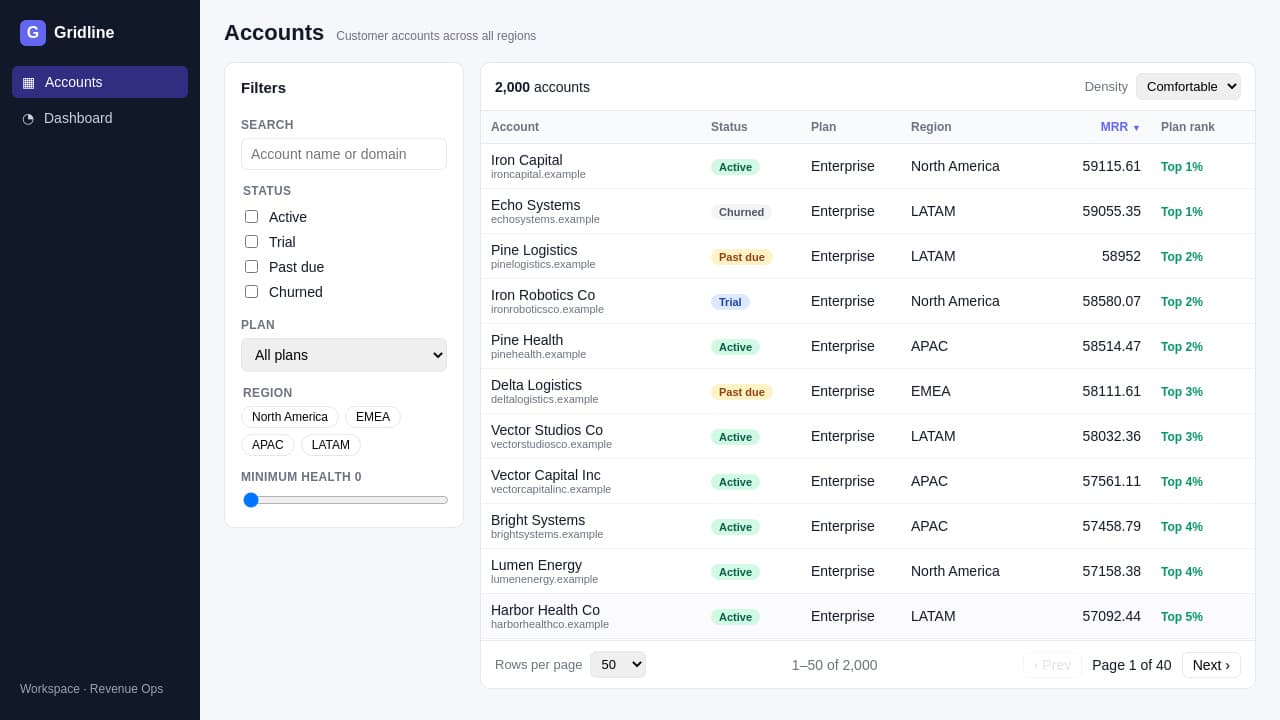 0:15.0
User clicks a grid row at 121171ms (Playwright locator.click); remounting OwnerCell(s) triggers 2 more identical GETs to /api/users/23 at 121264ms and 121288ms. User interaction.
2 evidence probes (NetworkRequest, GetPointComponent)
NetworkRequest {"mode":"requests","endTime":125000,"startTime":120000,"urlFilter":"api/users/23"}
→ # Network Requests

**Filters:** URL contains "api/users/23", after 120000ms, before 125000ms
**Showing 1–2 of 2 requests**

_All URLs relative to http://localhost:3207_

| # | ID | Time | Method | URL | Status | Duration | Type |
|---|-----|------|--------|-----|--------|----------|------|
| 0 | 747.217 | 121264ms | GET | /api/users/23 | 200 | 499ms | fetch |
| 1 | 747.256 | 121288ms | GET | /api/users/23 | 200 | 2684ms | fetch |

## Next Steps

- Use `mode: 'detail'` with `requestId` (from the ID column) to see full headers, body, and timing for a specific request
- Use `urlFilter`, `startTime`, `endTime` to narrow the list
GetPointComponent {"point":"Point:1"}
→ No React component is being rendered at this point.A second row click at 167519ms again produces 2 duplicate GETs to /api/users/23 (167697ms, 167699ms) — bringing the total to 11 identical requests for one user record that was already available after the first response.
1 evidence probe (NetworkRequest)
NetworkRequest {"mode":"requests","endTime":170000,"startTime":166000,"urlFilter":"api/users/23"}
→ # Network Requests

**Filters:** URL contains "api/users/23", after 166000ms, before 170000ms
**Showing 1–2 of 2 requests**

_All URLs relative to http://localhost:3207_

| # | ID | Time | Method | URL | Status | Duration | Type |
|---|-----|------|--------|-----|--------|----------|------|
| 0 | 747.272 | 167697ms | GET | /api/users/23 | 200 | 973ms | fetch |
| 1 | 747.275 | 167699ms | GET | /api/users/23 | 200 | 832ms | fetch |

## Next Steps

- Use `mode: 'detail'` with `requestId` (from the ID column) to see full headers, body, and timing for a specific request
- Use `urlFilter`, `startTime`, `endTime` to narrow the list
Root cause
src/components/OwnerCell.jsx issues fetchUser(ownerId) inside a useEffect that runs on every component mount (line 9), and src/state/columns.jsx line 97 renders one <OwnerCell ownerId={r.ownerId}/> per grid row. With 50 rows all referencing ownerId 23, every mounting row independently requests the same /api/users/23 endpoint — 11 mounts fired during the recording — with no deduplication, shared cache, or use of the existing batch endpoint fetchUsers(ids) in src/lib/api.js (line 28). Confirmed by the network log: 11 GETs to /api/users/23, all 200, including 7 within 99ms at load with durations 1133–9310ms.
3 evidence probes (ReadSource, NetworkRequest)
ReadSource {"line":9,"path":"http://localhost:3207/src/components/OwnerCell.jsx"}
→  hits | L | code
------|------|------
     |    1 | import { useEffect, useState } from 'react';
     |    2 | import { fetchUser } from '../lib/api.js';
     |    3 |
     |    4 | export default function OwnerCell({ ownerId }) {
 200 |    5 |   const [owner, setOwner] = useState(null);
     |    6 |
 200 |    7 |   useEffect(() => {
 200 |    8 |     let active = true;
 200 |   *9 |     fetchUser(ownerId)
 200 |   10 |       .then((user) => {
 200 |   11 |         if (active) setOwner(user);
     |   12 |       })
 200 |   13 |       .catch(() => {});
 200 |   14 |     return () => {
 200 |   15 |       active = false;
     |   16 |     };
     |   17 |   }, [ownerId]);
     |   18 |
 200 |   19 |   if (!owner) {
     |   20 |     return (
 200 |   21 |       <span className="owner owner-loading">
 200 |   22 |         <span className="avatar avatar-placeholder" />
 200 |   23 |         <span className="owner-name skeleton-text" />
     |   24 |       </span>
     |   25 |     );
     |   26 |   }
     |   27 |
     |   28 |   return (
     |   29 |     <span className="owner" title={owner.email}>
 200 |   30 |       <span className="avatar" style={{ background: owner.color }}>
     |   31 |         {owner.initials}
     |   32 |       </span>
 200 |   33 |       <span className="owner-name">{owner.name}</span>
     |   34 |     </span>
     |   35 |   );
     |   36 | }
     |   37 |
ReadSource {"line":97,"path":"http://localhost:3207/src/state/columns.jsx"}
→ hits | L | code
------|------|------
| 72 | key: 'health',
| 73 | label: 'Health',
| 74 | width: 120,
| 75 | defaultDir: 'desc',
| 76 | render: (r) => (
200 | 77 | <div className="health">
200 | 78 | <div className="health-bar">
200 | 79 | <div className="health-fill" style={{ width: `${r.health}%`, background: healthColor(r.health) }} />
| 80 | </div>
200 | 81 | <span className="health-num">{r.health}</span>
| 82 | </div>
| 83 | ),
| 84 | },
| 85 | {
| 86 | key: 'trend',
| 87 | label: '12-mo trend',
| 88 | width: 100,
| 89 | sortable: false,
200 | 90 | render: (r) => <Sparkline values={r.trend} />,
| 91 | },
| 92 | {
| 93 | key: 'owner',
| 94 | label: 'Owner',
| 95 | width: 170,
0 | 96 | sortValue: (r) => r.ownerId,
200 | *97 | render: (r) => <OwnerCell ownerId={r.ownerId} />,
| 98 | },
| 99 | {
| 100 | key: 'lastActive',
| 101 | label: 'Last active',
| 102 | width: 110,
| 103 | defaultDir: 'desc',
0 | 104 | sortValue: (r) => timestampSortKey(r.lastActive),
200 | 105 | render: (r) => <span title={formatTimestamp(r.lastActive)}>{formatRelative(r.lastActive)}</span>,
| 106 | },
| 107 | …NetworkRequest {"mode":"requests","urlFilter":"api/users/23"}
→ # Network Requests
**Filters:** URL contains "api/users/23"
**Showing 1–11 of 11 requests**
_All URLs relative to http://localhost:3207_
| # | ID | Time | Method | URL | Status | Duration | Type |
|---|-----|------|--------|-----|--------|----------|------|
| 0 | 747.20 | 1576ms | GET | /api/users/23 | 200 | 1133ms | fetch |
| 1 | 747.23 | 1578ms | GET | /api/users/23 | 200 | 1131ms | fetch |
| 2 | 747.65 | 1602ms | GET | /api/users/23 | 200 | 3379ms | fetch |
| 3 | 747.104 | 1624ms | GET | /api/users/23 | 200 | 5356ms | fetch |
| 4 | 747.124 | 1635ms | GET | /api/users/23 | 200 | 6488ms | fetch |
| 5 | 747.142 | 1645ms | GET | /api/users/23 | 200 | 7181ms | fetch |
| 6 | 747.194 | 1675ms | GET | /api/users/23 | 200 | 9310ms | fetch |
| 7 | 747.217 | 121264ms | GET | /api/users/23 | 200 | 499ms | fetch |
| 8 | 747.256 | 121288ms | GET | /api/users/23 | 200 | 2684ms | fetch |
| 9 | 747.272 | 167697ms | GET | /api/users/23 | 200 | 973ms | fetch |
| 10 | 747.275 | 167699ms | GET | /api/users/23 | 200 | 832ms | fetch |
## Next Steps
- Use `mode: 'detail'` with `requestId` (from the ID column) to see full headers, body, and timing for a specific request
- Use `urlFilter`, `startTime`, `endTime` to narrow the listRoot cause → actual behavior
src/state/columns.jsx line 97 renders one <OwnerCell ownerId={r.ownerId}/> per grid row; 50 rows share ownerId 23, so 50 OwnerCell instances mount with the same prop.
2 evidence probes (ReadSource, SearchSources)
ReadSource {"line":97,"path":"http://localhost:3207/src/state/columns.jsx"}
→  hits | L | code
------|------|------
     |   72 |     key: 'health',
     |   73 |     label: 'Health',
     |   74 |     width: 120,
     |   75 |     defaultDir: 'desc',
     |   76 |     render: (r) => (
 200 |   77 |       <div className="health">
 200 |   78 |         <div className="health-bar">
 200 |   79 |           <div className="health-fill" style={{ width: `${r.health}%`, background: healthColor(r.health) }} />
     |   80 |         </div>
 200 |   81 |         <span className="health-num">{r.health}</span>
     |   82 |       </div>
     |   83 |     ),
     |   84 |   },
     |   85 |   {
     |   86 |     key: 'trend',
     |   87 |     label: '12-mo trend',
     |   88 |     width: 100,
     |   89 |     sortable: false,
 200 |   90 |     render: (r) => <Sparkline values={r.trend} />,
     |   91 |   },
     |   92 |   {
     |   93 |     key: 'owner',
     |   94 |     label: 'Owner',
     |   95 |     width: 170,
   0 |   96 |     sortValue: (r) => r.ownerId,
 200 |  *97 |     render: (r) => <OwnerCell ownerId={r.ownerId} />,
     |   98 |   },
     |   99 |   {
     |  100 |     key: 'lastActive',
     |  101 |     label: 'Last active',
     |  102 |     width: 110,
     |  103 |     defaultDir: 'desc',
   0 |  104 |     sortValue: (r) => timestampSortKey(r.lastActive),
 200 |  105 |     render: (r) => <span title={formatTimestamp(r.lastActive)}>{formatRelative(r.lastActive)}</span>,
     |  106 |   },
| 107 | …SearchSources {"pattern":"OwnerCell ownerId","includeGenerated":true}
→ ### http://localhost:3207/src/components/DetailPanel.jsx
hits | L | code
------|------|------
| 1 | import { useEffect, useState } from 'react';
0 | 74 | <h3>Account owner</h3>
0 | *75 | <OwnerCell ownerId={detail.ownerId} />
0 | 76 | </section>
### http://localhost:3207/src/state/columns.jsx
hits | L | code
------|------|------
| 1 | import { formatValue, formatInt, formatRelative, formatShortDate } from '@gridline/formatters';
0 | 96 | sortValue: (r) => r.ownerId,
200 | *97 | render: (r) => <OwnerCell ownerId={r.ownerId} />,
| 98 | },Each OwnerCell's useEffect (src/components/OwnerCell.jsx line 9) calls fetchUser(ownerId) on mount with no cache or deduplication, issuing an independent GET /api/users/23 per mounting row — 11 requests in the recording (7 within the first 99ms, all 200, durations 1133–9310ms).
2 evidence probes (ReadSource, NetworkRequest)
ReadSource {"line":9,"path":"http://localhost:3207/src/components/OwnerCell.jsx"}
→  hits | L | code
------|------|------
     |    1 | import { useEffect, useState } from 'react';
     |    2 | import { fetchUser } from '../lib/api.js';
     |    3 |
     |    4 | export default function OwnerCell({ ownerId }) {
 200 |    5 |   const [owner, setOwner] = useState(null);
     |    6 |
 200 |    7 |   useEffect(() => {
 200 |    8 |     let active = true;
 200 |   *9 |     fetchUser(ownerId)
 200 |   10 |       .then((user) => {
 200 |   11 |         if (active) setOwner(user);
     |   12 |       })
 200 |   13 |       .catch(() => {});
 200 |   14 |     return () => {
 200 |   15 |       active = false;
     |   16 |     };
     |   17 |   }, [ownerId]);
     |   18 |
 200 |   19 |   if (!owner) {
     |   20 |     return (
 200 |   21 |       <span className="owner owner-loading">
 200 |   22 |         <span className="avatar avatar-placeholder" />
 200 |   23 |         <span className="owner-name skeleton-text" />
     |   24 |       </span>
     |   25 |     );
     |   26 |   }
     |   27 |
     |   28 |   return (
     |   29 |     <span className="owner" title={owner.email}>
 200 |   30 |       <span className="avatar" style={{ background: owner.color }}>
     |   31 |         {owner.initials}
     |   32 |       </span>
 200 |   33 |       <span className="owner-name">{owner.name}</span>
     |   34 |     </span>
     |   35 |   );
     |   36 | }
     |   37 |
NetworkRequest {"mode":"requests","urlFilter":"api/users/23"}
→ # Network Requests
**Filters:** URL contains "api/users/23"
**Showing 1–11 of 11 requests**
_All URLs relative to http://localhost:3207_
| # | ID | Time | Method | URL | Status | Duration | Type |
|---|-----|------|--------|-----|--------|----------|------|
| 0 | 747.20 | 1576ms | GET | /api/users/23 | 200 | 1133ms | fetch |
| 1 | 747.23 | 1578ms | GET | /api/users/23 | 200 | 1131ms | fetch |
| 2 | 747.65 | 1602ms | GET | /api/users/23 | 200 | 3379ms | fetch |
| 3 | 747.104 | 1624ms | GET | /api/users/23 | 200 | 5356ms | fetch |
| 4 | 747.124 | 1635ms | GET | /api/users/23 | 200 | 6488ms | fetch |
| 5 | 747.142 | 1645ms | GET | /api/users/23 | 200 | 7181ms | fetch |
| 6 | 747.194 | 1675ms | GET | /api/users/23 | 200 | 9310ms | fetch |
| 7 | 747.217 | 121264ms | GET | /api/users/23 | 200 | 499ms | fetch |
| 8 | 747.256 | 121288ms | GET | /api/users/23 | 200 | 2684ms | fetch |
| 9 | 747.272 | 167697ms | GET | /api/users/23 | 200 | 973ms | fetch |
| 10 | 747.275 | 167699ms | GET | /api/users/23 | 200 | 832ms | fetch |
## Next Steps
- Use `mode: 'detail'` with `requestId` (from the ID column) to see full headers, body, and timing for a specific request
- Use `urlFilter`, `startTime`, `endTime` to narrow the listThe redundant requests occupy server connections for up to 9.3s each and contend with the grid's own data fetches (205 of 311 requests in the recording took ≥2s), so the owner cells' skeleton 'owner-loading' placeholders persist visibly longer than a single round-trip would require, and the same user record is re-downloaded on every row interaction.
2 evidence probes (NetworkRequest)
NetworkRequest {"mode":"summary"}
→ # Network Requests — Summary

**Total requests:** 311
**Failed (HTTP ≥400):** 0
**Slow (≥2000ms):** 205

**Response times:** avg 4132ms, median 3124ms, max 10285ms

**Breakdown:** 308 API calls, 3 asset/other loads

## Status Distribution

| Status | Count |
|--------|-------|
| 2xx | 311 |

## Top Domains

| Domain | Count |
|--------|-------|
| localhost | 311 |

## Request Types

| Type | Count |
|------|-------|
| fetch | 308 |
| (unknown) | 1 |
| script | 1 |
| stylesheet | 1 |

## Next Steps

- Use `mode: 'requests'` to browse the full request list with pagination
- Use `mode: 'requests'` to identify slow requests, then `mode: 'detail'` for timing breakdown
NetworkRequest {"mode":"requests","urlFilter":"api/users/23"}
→ # Network Requests
**Filters:** URL contains "api/users/23"
**Showing 1–11 of 11 requests**
_All URLs relative to http://localhost:3207_
| # | ID | Time | Method | URL | Status | Duration | Type |
|---|-----|------|--------|-----|--------|----------|------|
| 0 | 747.20 | 1576ms | GET | /api/users/23 | 200 | 1133ms | fetch |
| 1 | 747.23 | 1578ms | GET | /api/users/23 | 200 | 1131ms | fetch |
| 2 | 747.65 | 1602ms | GET | /api/users/23 | 200 | 3379ms | fetch |
| 3 | 747.104 | 1624ms | GET | /api/users/23 | 200 | 5356ms | fetch |
| 4 | 747.124 | 1635ms | GET | /api/users/23 | 200 | 6488ms | fetch |
| 5 | 747.142 | 1645ms | GET | /api/users/23 | 200 | 7181ms | fetch |
| 6 | 747.194 | 1675ms | GET | /api/users/23 | 200 | 9310ms | fetch |
| 7 | 747.217 | 121264ms | GET | /api/users/23 | 200 | 499ms | fetch |
| 8 | 747.256 | 121288ms | GET | /api/users/23 | 200 | 2684ms | fetch |
| 9 | 747.272 | 167697ms | GET | /api/users/23 | 200 | 973ms | fetch |
| 10 | 747.275 | 167699ms | GET | /api/users/23 | 200 | 832ms | fetch |
## Next Steps
- Use `mode: 'detail'` with `requestId` (from the ID column) to see full headers, body, and timing for a specific request
- Use `urlFilter`, `startTime`, `endTime` to narrow the listIs your app hiding bugs like this?
Replay QA explores every build, records what it finds, and writes the root cause.