Turn user frustration into fixes.
When a real user hits a bug in your live app, Self-healing Mode catches the moment and hands it to Replay QA. You get the root cause and a suggested fix, in your issue tracker or straight to your coding agent.
Powered by session capture technology and agentic session review.
Your users are already reporting bugs. They're doing it with rage clicks.
Tests catch what you thought to check. Real users find everything else, on real data, in browsers and paths you never tried.
Most bugs never get reported
A user taps a button that does nothing, tries twice more, and leaves. No ticket, no email. The only trace is in the session.
Session replay shows what, not why
You can watch the user get stuck. You still have to reproduce it, find the code path that failed, and work out the fix.
Nobody has time to watch replays
Frustration signals pile up in a dashboard. Triaging them by hand is a job most teams never get to.
How it works
From a frustrated user to a ready-to-ship fix.
Self-healing Mode is always on. Every frustrated session becomes a diagnosed bug, so your app gets better from the way people actually use it.
- 1Real users on your site or appFullstory’s JavaScript snippet captures each session as customers use your live app.
- 2Frustration signals detectedFullstory’s agentic session review spots rage clicks, dead clicks, and errors where something went wrong.
- 3Replay QA finds the root causeReproduces the problem in a recorded browser, traces it to the code, and suggests a fix.
- 4The fix goes where you workAn agent-ready bug report lands in your issue tracker or goes straight to your coding agent.
↺ Always on: the next sessions run on the improved app.
Why it works
Session replay shows you the symptom. Replay QA finds the cause.
Detecting that something went wrong is the easy part. Self-healing Mode adds the hard part: Replay QA reproduces the problem in its instrumented Chromium browser and records every DOM change, network call and JavaScript frame, so the diagnosis comes from what actually executed, not a guess from a video.
- What you get
- Session replay aloneA video of what the user saw
- With Self-healing ModeThe root cause and a suggested fix
- Where it comes from
- Session replay aloneA reconstruction of the page in the user’s browser
- With Self-healing ModeA deterministic recording of the whole runtime: DOM, network, and JavaScript
- Who does the work
- Session replay aloneSomeone watches, reproduces, and debugs
- With Self-healing ModeReplay QA, automatically
- What happens next
- Session replay aloneA ticket that says “button broken?”
- With Self-healing ModeA report your coding agent can act on
Close the loop
Every report ends up where it gets fixed.
For your team
Into the tracker you already use
File reports to GitHub Issues, Linear, Jira, or any webhook. Each one carries the severity, the recording, the root cause and the suggested fix, so whoever picks it up starts from evidence.
For your agents
Straight back to your coding agent
A REST API and MCP server let your coding agent pull new reports and act on them. Reports are written so an agent can make the fix directly, and Replay QA can test the change before it ships.
Examples of real agent-ready bug reports with evidence.
Every Replay QA bug report is prepared with coding agents in mind: a detailed root cause analysis, a suggested fix, a deterministic runtime recording, and all the context needed to do the job.
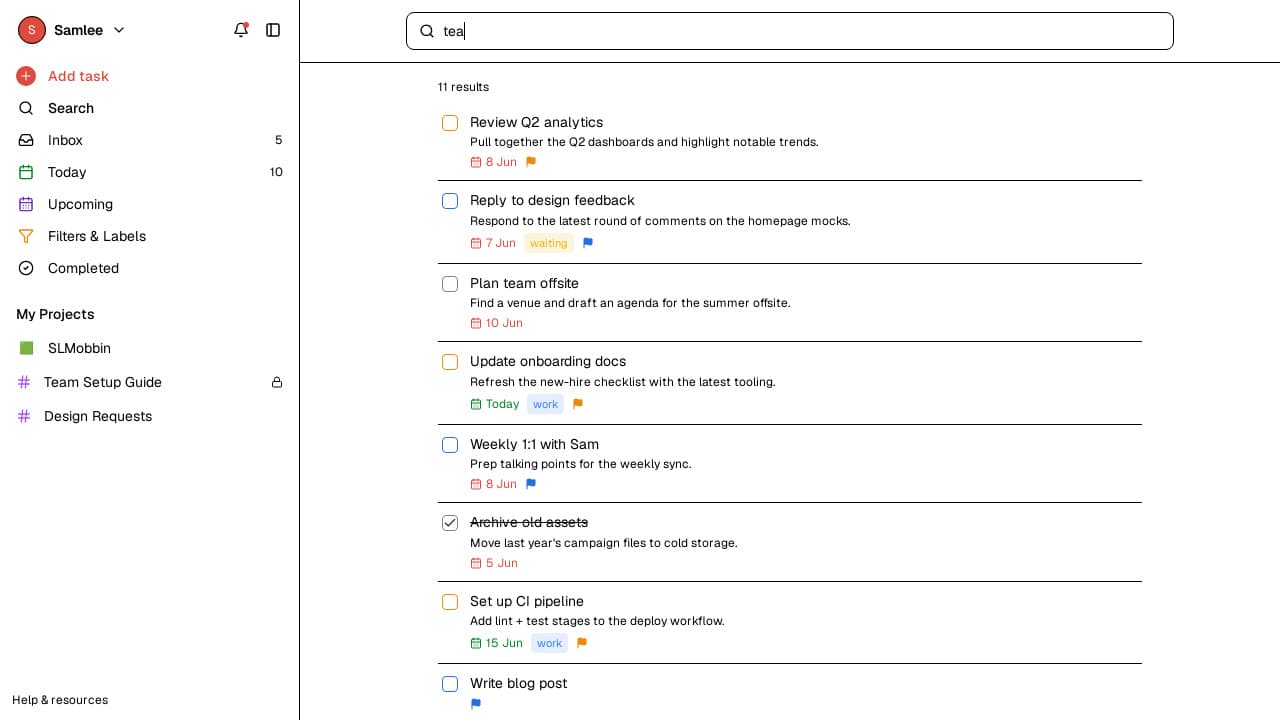 mediumRaces & orderingSearch shows results for the previous keystrokeTyping 'tea' shows the right result for a split second, then the results for 'te' replace it. Whether it happens depends on network timing, so it's flaky by nature.ExampleApps PR #6 · todoist-clone
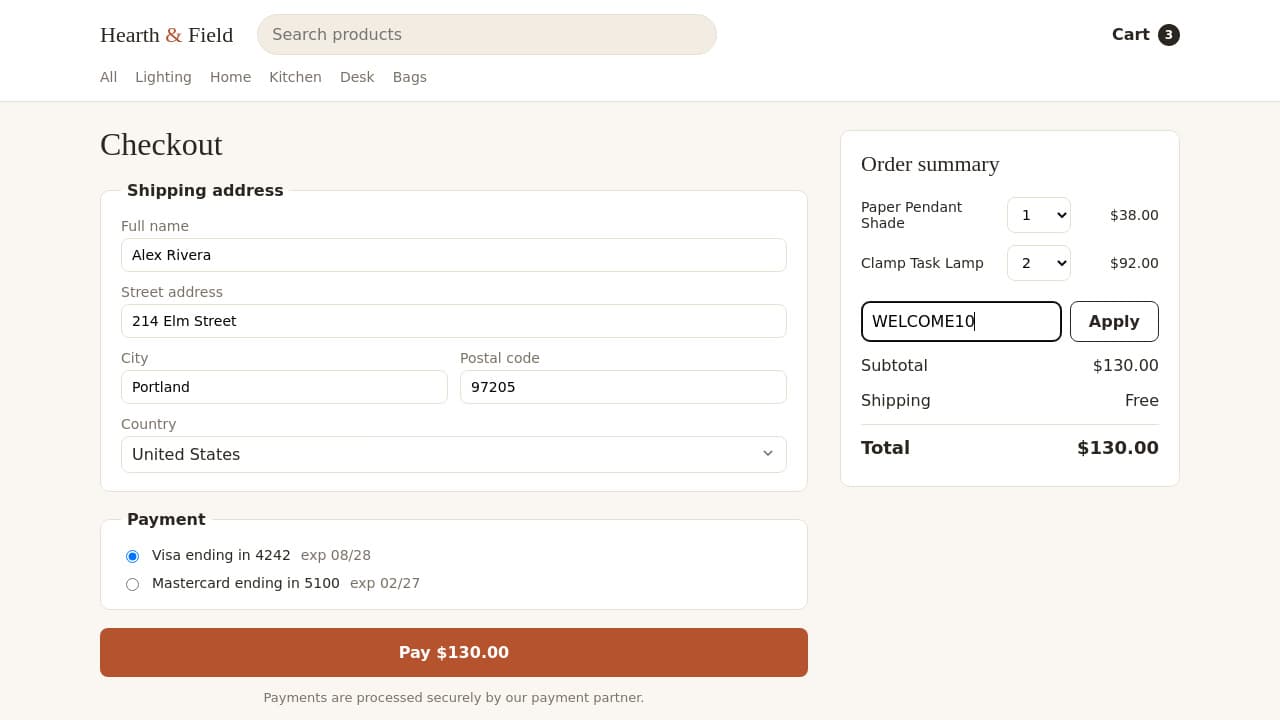 highHidden state corruptionCheckout charges the pre-discount total after a promo codeThe button says Pay $117.00 and the order goes through. Only the amount charged is wrong, and only when the promo is applied after the checkout page has loaded.storefront
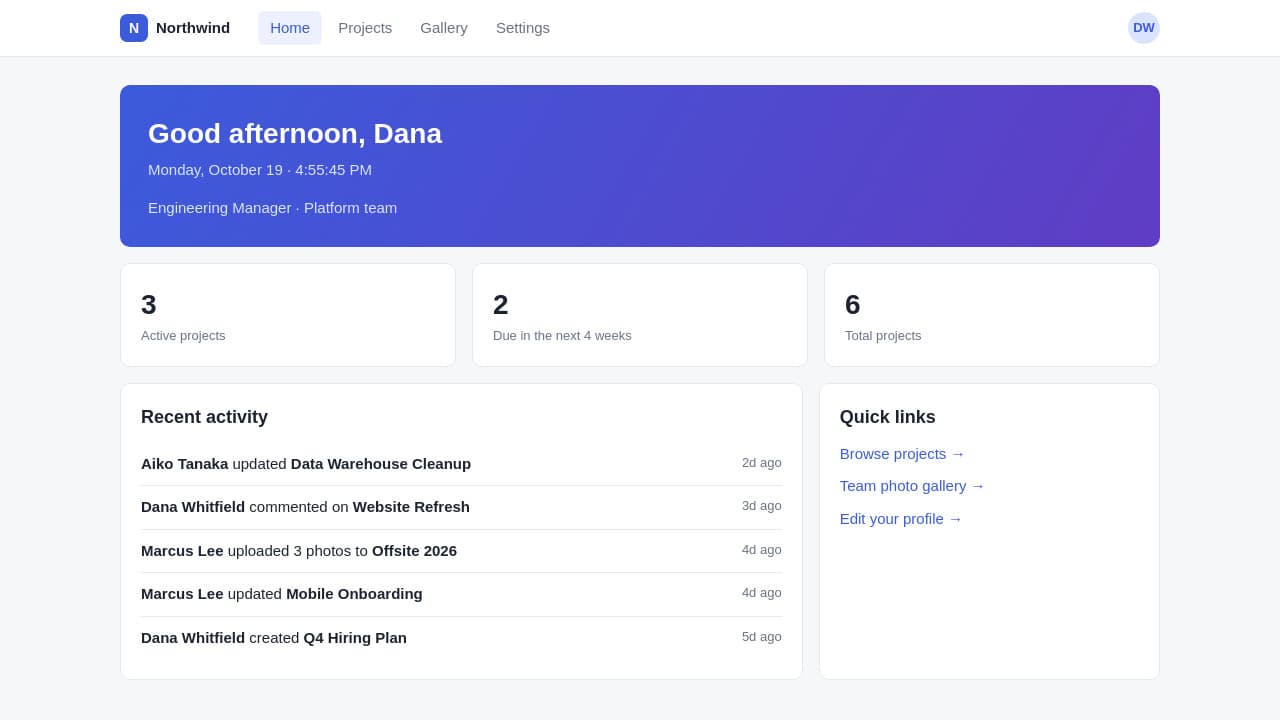 mediumRaces & orderingHome greeting fails hydration: ‘Good afternoon’ vs ‘Good evening’React regenerates the tree on the client, so the page ends up looking right. The mismatch only exists between the server HTML and the first client render.team-portal
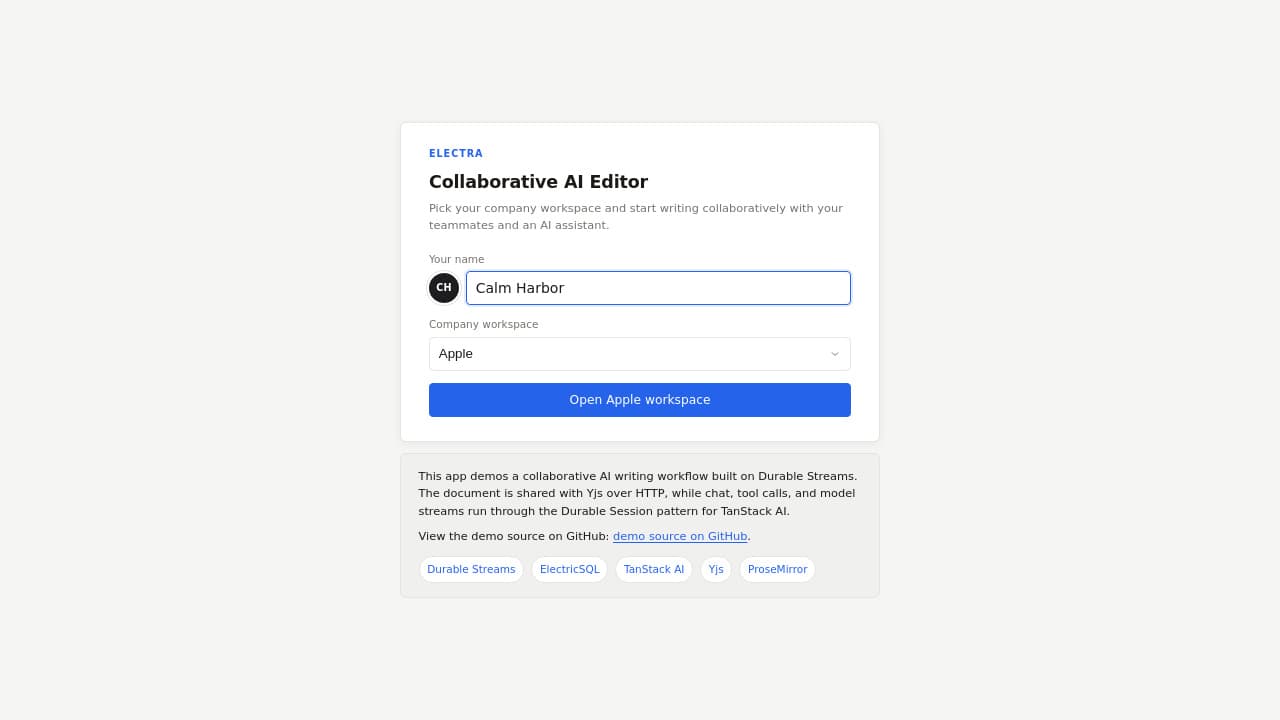 mediumSub-second glitchesUsers with 9 notes are told they have none for 760msA flash of wrong content during the initial sync. Data loads fine, and it's gone before anyone can point at it.collaborative-ai-editor
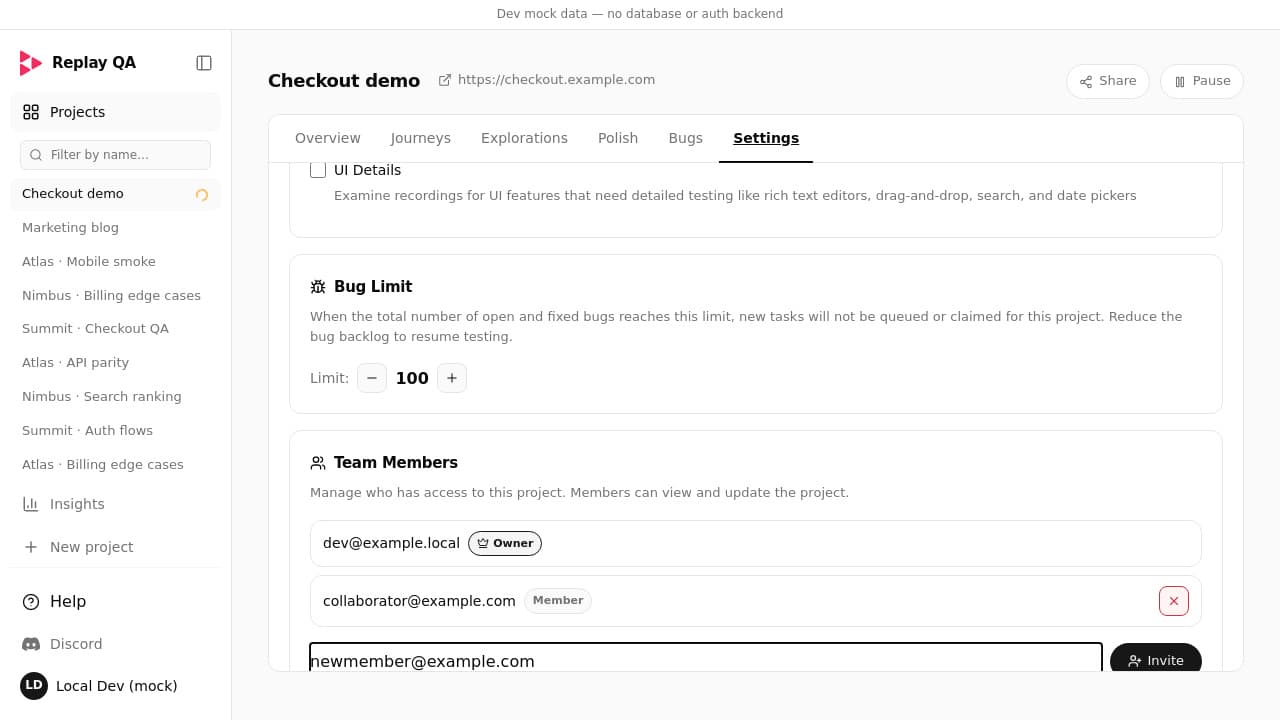 highSwallowed failuresInviting a teammate throws ‘object is not extensible’The error names property '2' on an object you never wrote. The actual cause is a push onto frozen Redux state, several layers away.loop-qa
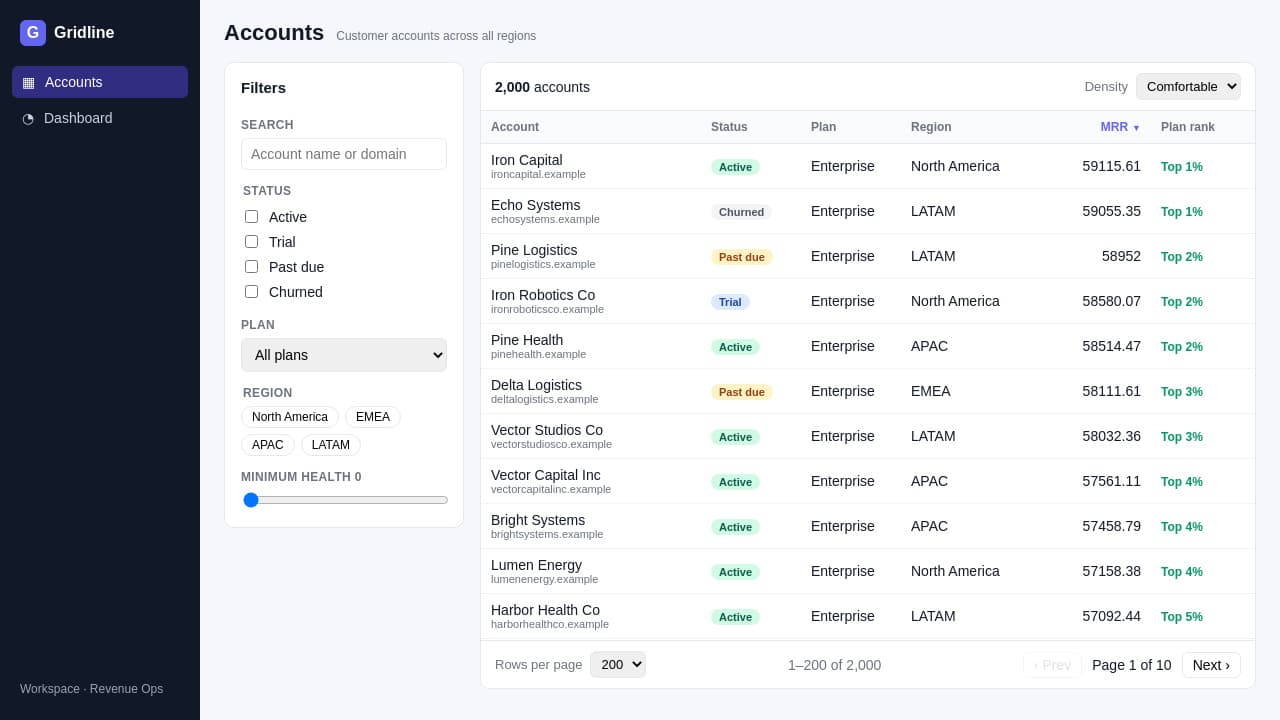 mediumRender & network forensicsEvery grid row fetches the same owner record againEach request returns 200 and the owner cells fill in. Only the network timeline shows the same user being fetched over and over.analytics-grid
“Love the tooling! Our QA workflows and bug discovery has become 10X faster. The devs are able to cycle through loopholes much faster and delivery timelines have been enhanced”

Harshil Tomar
@Hartdrawss“Blown away by what Replay QA discovered for my solo startup, helped me identify and fix bugs that could potentially affect conversions.”

Peter Mick
@ThePeterMick“Connecting my GitHub repository took only a few seconds, and the first run uncovered issues across functionality, UX, and accessibility that would've been easy to miss manually.”

Kaitee
@KaiteeShiksFrequently asked questions
Let your users find the bugs. Let Replay QA explain them.
Turn on Self-healing Mode and the next frustrated session becomes a root-caused bug report with a suggested fix.